In-Person AI Training:
Hands-On Workshops
That Actually Stick
Move your team from "we've heard of ChatGPT" to using AI safely in real workflows — in a single on-site session tailored to how your business actually works.
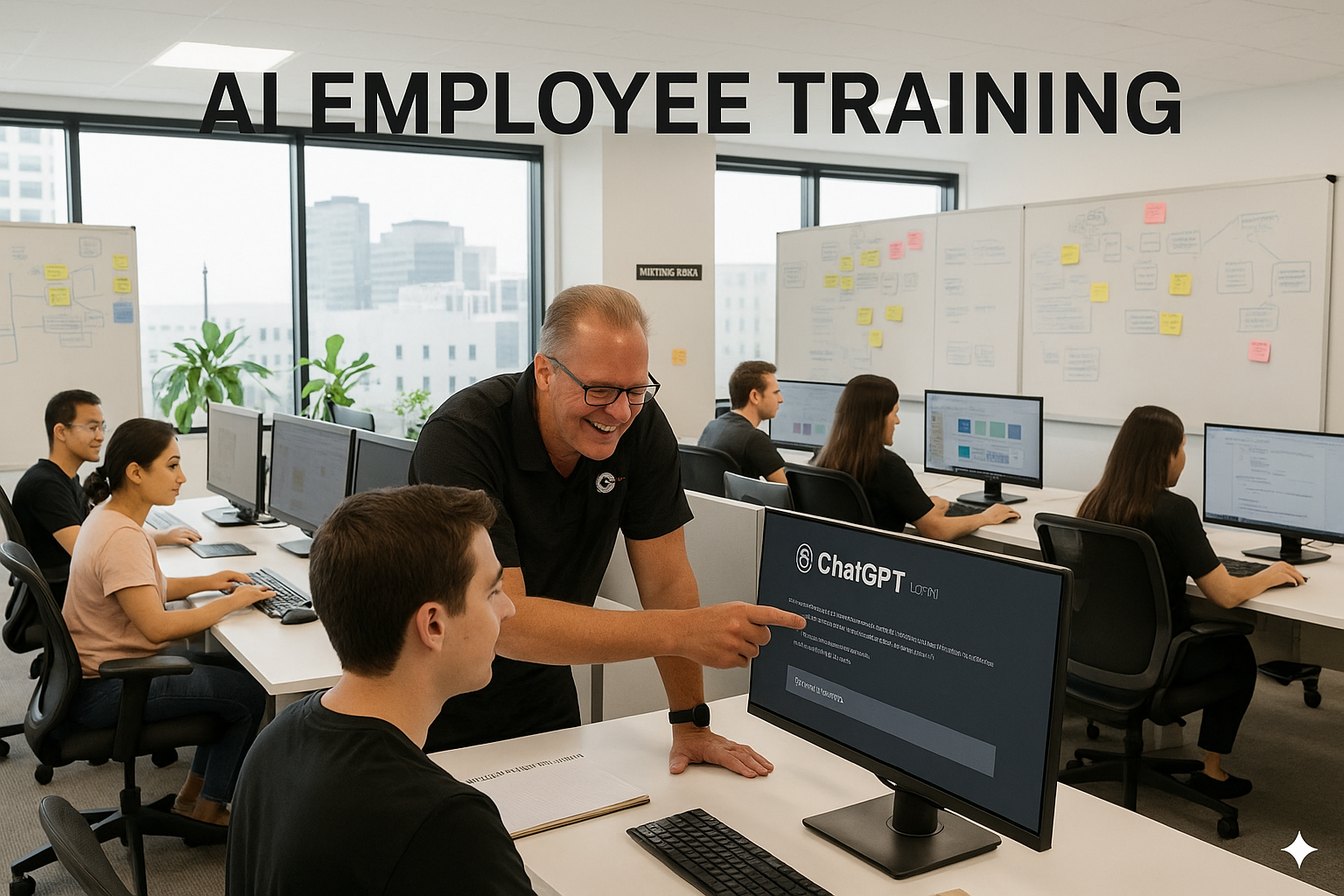
Role-Based Practice
Exercises match what your team actually does — not generic demos built for someone else's industry.
Governed and Safe
Clear rules on data handling, PIPEDA, approval steps, and review workflows baked into every session.
Leave with Real Assets
Prompt templates, workflow checklists, and reusable SOPs your team can use the very next morning.
In-Person AI Training: What It Is — and What It Isn't
Strong in-person AI training is a live, facilitated workshop where your team practices with real scenarios and leaves with reusable assets they can implement immediately.
What strong training looks like
- Hands-on: people practice during the session — not "later at their desk"
- Role-based: examples and exercises match what each group actually does daily
- Governed: clear rules for what can and can't go into AI tools
- Measurable: clear outcomes you can track in the weeks that follow
If you're leading a team in Canada and want real adoption — not just a slide deck — an on-site workshop aligns everyone on the same tools, the same rules, and the same quality standards.
What it should NOT be
- A generic "AI is the future" presentation
- A one-size-fits-all prompt list that ignores your role
- Training that skips privacy, security, and internal policy
Why On-Site Workshops Accelerate AI Adoption
Teams don't struggle with AI because they're "not technical." They struggle because they don't know how to apply it consistently, safely, and with quality. In-person training fixes that.
Faster Confidence
People can ask questions and get answers on the spot — eliminating the hesitation that kills adoption.
Better Consistency
Everyone learns the same approach to prompts, tone, and review — creating a shared standard across your org.
More Relevance
The trainer adapts in real time based on what your team does, making every example immediately applicable.
Higher Accountability
Participation and completion rates are significantly higher when people are in a room together.
Fewer Risky Habits
Privacy and data-sharing mistakes can be corrected immediately — before they become ingrained habits.
Cross-Team Alignment
Resets expectations across locations and roles — especially when AI usage is uneven across departments.
Core Skills Your Team Practises Live
Prompt Fundamentals
Task, context, constraints, examples, and acceptance criteria — the five elements of every effective prompt.
Iterative Prompting
How to refine outputs with targeted feedback — not starting from scratch every time.
Quality Control
How to fact-check, cite, and detect weak reasoning before it leaves your team.
Reusable Templates
Prompts that become SOPs — intake forms, checklists, and tone guides your whole team can use.
Workflow Design
Where AI fits in your process: drafting, editing, summarizing, planning, and reviewing.
Guardrails Covered in Plain Language Every Session
AI governance doesn't need to be complex. Every workshop covers these four guardrail areas so your team builds safe habits from day one.
🔐 Data Handling
What counts as confidential, private, regulated, or client-owned data — and what never goes into an AI tool.
✍️ Approval Steps
When AI outputs require human review, who signs off, and how to build that into daily workflow.
📚 Source-of-Truth Rules
How to prevent AI from overwriting policy, law, or technical reality in your organization's documents.
🧱 Security Awareness
Prompt injection risks and safe output handling — especially relevant for teams building AI-enabled workflows.
Common Use Cases for Canadian Teams
Start with use cases that are frequent, low-risk, and easy to measure. These six areas consistently deliver the fastest ROI in on-site workshops.
Customer Support
Draft replies, summarize tickets, propose next steps — all with a human-review step built in.
Sales and Account Management
Call notes to follow-ups, proposal outlines, and objection handling scripts in minutes.
Operations
SOP drafting, checklist creation, incident summaries, and meeting action plans at scale.
HR and Training
Job descriptions, interview banks, policy rewrites for clarity, and onboarding plans.
Marketing
Content outlines, ad variations, audience angles, and editing for tone and clarity.
Leadership
Decision memos, scenario planning, stakeholder updates, and risk/benefit summaries.
How to Choose an In-Person AI Training Provider
Not all training drives real adoption. Use these questions to evaluate any provider before you sign.
Questions to ask — and what to listen for
- Will it be tailored to our roles? You want role-specific exercises, not generic demos
- Do you teach safe usage? Clear guidance on privacy, policy, and review steps is non-negotiable
- Do we leave with assets? Ask for templates, prompt patterns, and reusable workflow examples
- How is success measured? A good provider defines outcomes: time saved, error reduction, throughput
- Can you handle different skill levels? Strong facilitators keep beginners and power users both engaged
The right provider should be able to walk through your specific workflows during the discovery call — not just describe a standard agenda they deliver to everyone.
Red Flags to Watch For
- They promise guaranteed outcomes or unrealistic results
- They avoid discussions about governance, risk, and review
- They rely on theory instead of structured practice time
- They can't explain how training fits your actual workflows
In-Person vs Virtual vs Self-Paced: Which Is Right for Your Team?
If your goal is adoption — not just exposure — compare formats based on your team's real constraints. Here's a clear breakdown.
| Format | Best For | Key Advantages | Watch-Outs |
|---|---|---|---|
| In-Person Workshop | Teams needing fast, consistent adoption | Highest engagement; live coaching; policy alignment; shared standards across team | Requires scheduling and a room; higher coordination effort upfront |
| Live Virtual Training | Distributed teams with limited travel | Lower logistics; easier to repeat; good for refreshers and remote staff | Lower participation; easier to multitask; harder to coach individuals |
| Self-Paced Course | Individuals learning basics independently | Low cost per learner; flexible timing; no scheduling required | Completion risk; no customization; weak governance alignment; slower adoption |
How to Prepare Your Team and Measure Results
Treat training as the start of a rollout — not a one-off event. A little preparation turns one session into weeks of compounding benefit.
Pre-Work — Send This 3–7 Days Before
- Ask each attendee to bring 2–3 real weekly tasks involving writing, summarizing, or planning
- Clarify what data is allowed in AI tools — and what isn't
- Collect examples of "good vs poor" outputs so quality is measurable on day one
- Confirm tool access and accounts so practice time isn't lost to setup
What to Measure After the Workshop
- Adoption: how many people used agreed workflows at least weekly
- Cycle time: how long common tasks take before vs after training
- Quality: fewer revisions, improved consistency in tone and structure
- Risk reduction: fewer privacy mistakes and better review habits
Frequently Asked Questions About In-Person AI Training
Answers to what Canadian teams ask most before booking an on-site workshop.
Book In-Person AI Training for Your Team Today
In 90 minutes your staff go from Zero to AI Hero using ChatGPT.
Practical, safe, and built around the work they already do. Only $99 online — or from $1,500 in-person across Ontario.
Contact JimmyAI
Serving all of Ontario in-person and all of Canada online
Serving Ontario: Niagara · St. Catharines · Hamilton · Burlington · Oakville · Mississauga · Toronto · GTA · London · Kitchener-Waterloo · Guelph · Ottawa · Kingston · Windsor